Top 2026 Accounting Software for Small Businesses
Best Accounting Software for Small Business in 2026: Expert Guidance to Choose the Right Solution
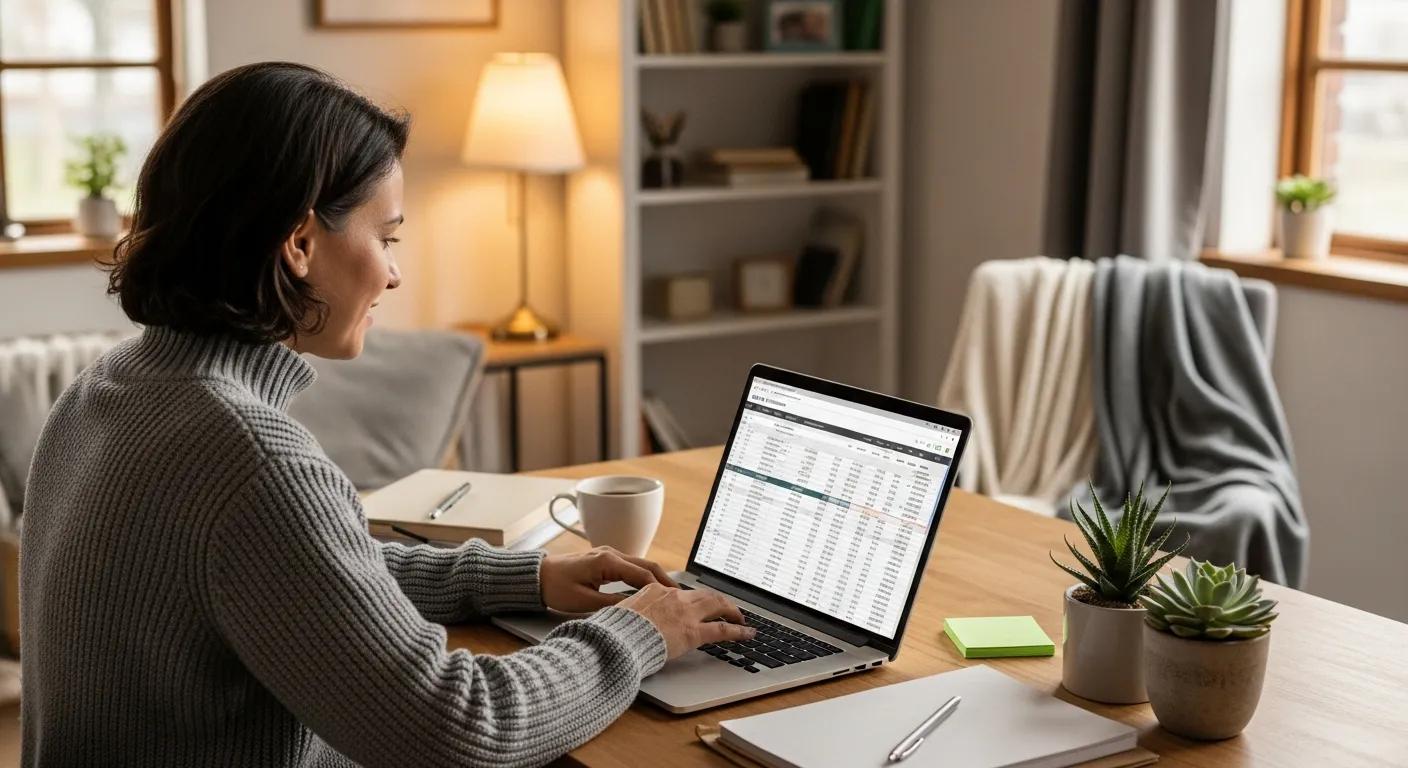
If you’re still juggling spreadsheets, paper receipts, and late-night number crunching, your accounting system is quietly holding your business back. The right software can turn that chaos into clear, real-time financial insight—without you becoming a full-time bookkeeper.
As small businesses navigate the complexities of cash flow, taxes, and compliance, choosing the right accounting platform has become a strategic decision, not just a back-office task. In 2026, the accounting software landscape is evolving fast, with tools that automate routine work, surface powerful insights, and connect seamlessly with the rest of your tech stack.
This guide walks you through the essential features to prioritize, smart pricing considerations, real-world user reviews and recommendations, and the best small business accounting software options available today. By understanding these elements, you’ll be able to choose a solution that fits your workflow, supports your growth, and stays within budget.
The right accounting software can alleviate common pain points such as time-consuming manual processes and the risk of financial inaccuracies. This guide will explore key features, pricing models, and user experiences to help you choose the best solution for your small business. We will also discuss how cloud accounting solutions can benefit small to medium-sized businesses, ensuring you have a comprehensive understanding of your options.
Indeed, studies confirm that adopting accounting software is increasingly vital for small businesses to improve the quality of their financial reporting and overcome operational challenges.
Accounting Software Adoption & Financial Reporting Quality for UK Small Businesses
Accounting software adoption has become increasingly prevalent among small businesses in the United Kingdom (UK) as a means to improve financial reporting quality. This study aims to investigate the relationship between accounting software adoption and financial reporting quality in UK small businesses, identify the challenges faced in implementing and using accounting software effectively, and explore stakeholder perceptions on the impact of accounting software on financial reporting quality.
Effect of accounting software on financial reporting quality in UK small businesses, 2024
Key Features to Prioritize:

When selecting accounting software, small businesses should focus on several key features that enhance usability and functionality. These features not only simplify financial management but also provide valuable insights into business performance. For a deeper dive into evaluating tools, see our guide on how to compare small business accounting platforms.
Invoicing and Payment Processing: Efficient invoicing capabilities allow businesses to create and send invoices quickly, while integrated payment processing ensures timely payments. You can explore more tips in our article on small business invoicing best practices.
Expense Tracking: Robust expense tracking features help businesses monitor spending and categorize expenses for better financial oversight.
Bank Reconciliation: Automated bank reconciliation simplifies the process of matching transactions, reducing errors and saving time.
Reporting Capabilities: Comprehensive reporting tools provide insights into financial health, enabling informed decision-making.
User-Friendly Interface: A simple and intuitive interface enhances user experience, making it easier for non-accountants to navigate the software.
Scalability: As businesses grow, their accounting needs evolve. Scalable software can adapt to increasing complexity without requiring a complete overhaul.
Integration Options: The ability to integrate with other business tools, such as CRM systems and payroll software, enhances overall efficiency.
These features collectively contribute to a more streamlined financial management process, allowing small businesses to focus on growth and customer satisfaction.
Pricing Considerations:
Understanding the pricing models of accounting software is essential for small businesses to make cost-effective decisions. Various factors influence pricing, and being aware of these can help you choose the right software for your budget. For a step-by-step breakdown, review our comparison on accounting software pricing for small businesses.
Subscription Costs: Most accounting software operates on a subscription basis, with monthly fees that can range significantly. As of 2023, QuickBooks Online ranges from approximately $25 to $180 per month, while "Xero costs" between $13 and $70 per month.
Transaction Fees: Some software may charge transaction fees for payment processing, which can add to overall costs.
Setup and Training Costs: Initial setup and training may incur additional expenses, especially for more complex systems.
Cost-Benefit Analysis: Evaluating the features and benefits against the costs is crucial to ensure you are getting value for your investment.
By carefully considering these pricing factors, small businesses can select accounting software that meets their financial needs without overspending.
Cal The Bookkeeper is a professional bookkeeping and financial services provider focused on helping small to medium-sized businesses streamline their financial management. For personalized assistance in choosing the right accounting software, consider scheduling a consultation with Cal The Bookkeeper, or read our overview on what to expect from a virtual bookkeeper.
About Calicia Landry

With over 15 years of bookkeeping experience, Calicia Landry is an Intuit Quickbooks Gold Level Pro Advisor and a Certified Intuit Quickbooks Payroll Pro Advisor. Her personalized approach focuses on building strong, long-term partnerships and understanding each business' unique needs.
Connect with Calicia on LinkedIn to learn more about her expertise and services, or explore how she supports clients in our case study on cleaning up small business books.
User Reviews and Recommendations:
User experiences play a significant role in selecting the right accounting software. Insights from current users can highlight strengths and weaknesses that may not be apparent from marketing materials. If you’re comparing platforms side by side, our resource on QuickBooks vs. Xero vs. Wave can help.
QuickBooks Online: Highly recommended for its extensive features, QuickBooks Online is praised for its comprehensive reporting and user-friendly interface.
Xero: Users appreciate Xero for its collaboration features, allowing multiple users to access and manage financial data seamlessly.
Wave: Ideal for budget-conscious businesses, Wave offers free accounting software with essential features, making it a popular choice among startups.
These recommendations reflect the diverse needs of small businesses and can guide you in selecting software that aligns with your operational requirements.
Additional Considerations:
Beyond the primary features and pricing, several additional factors can influence your choice of accounting software. These considerations can enhance your overall experience and ensure long-term satisfaction.
Cloud-Based Solutions: Cloud accounting software offers flexibility and accessibility, allowing users to access their financial data from anywhere with an internet connection. Learn more in our article on benefits of cloud accounting for SMBs.
Professional Support: Reliable customer support can be invaluable, especially during the initial setup and when troubleshooting issues.
Future-Proofing: Choosing software that regularly updates and evolves with industry standards can help ensure your business remains compliant and competitive.
These additional considerations can significantly impact your overall satisfaction with the accounting software you choose.
Which Accounting Software Options Are Best Suited for Small Businesses in 2026?
In 2026, several accounting software options stand out for their features, pricing, and user satisfaction. Here are some of the best choices for small businesses:
QuickBooks Online: Ranging from approximately $25 to $180 per month, QuickBooks Online offers a comprehensive suite of features suitable for various business sizes.
Xero: With pricing from $13 to $70 per month, Xero is known for its user-friendly interface and strong collaboration tools.
Wave: Free to use, Wave provides essential accounting features, making it an excellent choice for startups and small businesses.
FreshBooks: Priced between $15 and $60 per month, FreshBooks is ideal for service-based businesses, offering robust invoicing and time-tracking features.
These options provide a range of functionalities and pricing structures, ensuring that small businesses can find a solution that fits their specific needs. For a more detailed breakdown, see our comparison article on the best accounting software for 2026.
How Do Cloud Accounting Software Solutions Benefit SMBs?

Cloud accounting software offers numerous advantages for small and medium-sized businesses, transforming how they manage their finances. Here are some key benefits:
Cost Savings: Cloud solutions often reduce the need for expensive hardware and IT support, lowering overall costs.
Accessibility: Users can access their financial data from anywhere, facilitating remote work and collaboration.
Scalability: Cloud solutions can easily scale with your business, accommodating growth without significant additional investment.
Improved Accuracy: Automated processes reduce the risk of human error, enhancing the accuracy of financial data.
Automatic Updates: Cloud software typically includes automatic updates, ensuring users have access to the latest features and security enhancements.
Easy Collaboration: Multiple users can access the software simultaneously, improving teamwork and communication.
Data Security: Cloud providers often implement robust security measures to protect sensitive financial information.
These benefits make cloud accounting solutions an attractive option for small businesses looking to enhance their financial management processes. For implementation tips, read our guide on migrating from desktop to cloud accounting.
Further research emphasizes the critical role of cloud accounting systems in enhancing financial management and operational efficiency for small and medium enterprises, while also highlighting common adoption challenges.
Cloud Accounting Systems for SMEs: Efficiency & Adoption Obstacles
Cloud accounting systems have become essential tools for enhancing financial management and operational efficiency in Small and Medium Enterprises (SMEs), particularly in developing economies. In Bangladesh, the implementation of such systems is hindered by financial constraints, a lack of technical expertise, and security concerns. This study examines the implementation of cloud accounting systems within SMEs in Bangladesh, emphasizing perceived advantages, adoption obstacles, and financial results.
Adoption of cloud accounting systems in SMEs, MZ Hossain, 2025
What Are Affordable Accounting Software Choices with Invoicing Features?
For small businesses seeking affordable accounting software with invoicing capabilities, several options stand out. These solutions provide essential features without breaking the bank:
QuickBooks Online: Starting at approximately $25 per month, it offers comprehensive invoicing features alongside robust accounting tools.
Xero: With plans beginning at $13 per month, Xero provides excellent invoicing capabilities and user-friendly design.
Wave: Free to use, Wave includes invoicing features that are ideal for small businesses and freelancers.
FreshBooks: Priced from $15 per month, FreshBooks specializes in invoicing and time tracking, making it perfect for service-based businesses.
These affordable options ensure that small businesses can manage their invoicing needs effectively while staying within budget. For more on keeping costs down, see our article on free and low-cost accounting tools.
How to Compare Features and Pricing of Top Small Business Accounting Software?
When comparing accounting software, it’s essential to evaluate both features and pricing to find the best fit for your business. Here are some key aspects to consider:
Expense Tracking and Categorization: Look for software that allows easy tracking and categorization of expenses to maintain accurate financial records.
Invoice Generation and Payment Processing: Ensure the software can generate invoices and process payments efficiently.
Bank Reconciliation: Automated bank reconciliation features can save time and reduce errors.
Financial Reporting: Comprehensive reporting tools provide insights into your business's financial health.
User Access and Collaboration: Consider how many users can access the software and whether it supports collaboration among team members.
Integration Capabilities: Check if the software integrates with other tools you use, such as CRM systems or payroll software.
Scalability: Ensure the software can grow with your business, accommodating increased complexity as needed.
Real-Time Access: Look for solutions that provide real-time access to financial data for timely decision-making.
Data Security: Evaluate the security measures in place to protect your financial information.
By carefully comparing these features and pricing structures, small businesses can make informed decisions that align with their operational needs. You can also download our checklist from the article on comparing accounting software step by step.
What Key Features Should Small Businesses Prioritize in Accounting Software?
Identifying the key features that are essential for small businesses in accounting software is crucial for effective financial management. Here are the top features to prioritize:
Expense Tracking: Essential for monitoring spending and maintaining accurate financial records.
Invoice Generation: Allows businesses to create and send invoices quickly, facilitating timely payments.
Bank Reconciliation: Automates the process of matching transactions, reducing errors and saving time.
Financial Reporting: Provides insights into business performance, enabling informed decision-making.
User Access: Ensures that multiple users can access the software, enhancing collaboration and efficiency.
Focusing on these key features will help small businesses select accounting software that meets their specific needs and supports their growth.
How Do Pricing Plans Vary Among Leading Accounting Software Providers?
Pricing plans for accounting software can vary significantly among providers, influenced by features, user limits, and service levels. Here are some common pricing structures:
Subscription-Based Pricing: Most providers offer monthly subscription plans, with costs varying based on features and user access.
Free Options: Some software, like Wave, offers free plans with essential features, making them accessible for startups and small businesses.
Tiered Pricing: Many providers offer tiered pricing models, allowing businesses to choose plans based on their specific needs and budget.
Custom Solutions: Larger businesses may require custom solutions, which can lead to negotiated pricing based on specific requirements.
Understanding these pricing variations can help small businesses select the most cost-effective solution for their needs. For more examples and scenarios, see our post on how much accounting software really costs.
What Are the Leading Alternatives to QuickBooks for Small Business Bookkeeping?
While QuickBooks is a popular choice, several alternatives offer robust features for small business bookkeeping. Here are some leading options:
Xero: Known for its user-friendly interface and strong collaboration features, Xero is a great alternative for small businesses.
Wave: Free to use, Wave provides essential bookkeeping features, making it ideal for startups and freelancers.
FreshBooks: With a focus on invoicing and time tracking, FreshBooks is perfect for service-based businesses looking for an alternative to QuickBooks.
These alternatives provide diverse functionalities and pricing structures, ensuring small businesses can find a solution that fits their specific needs. For a full comparison, visit our article on top QuickBooks alternatives.
Which Accounting Software Offers Seamless Integration with Financial Services?
Seamless integration with financial services is a critical factor for small businesses when selecting accounting software. Here are some options that excel in this area:
QuickBooks Online: Offers extensive integration capabilities with various financial services, including payment processors and banking institutions.
Xero: Known for its strong integration options, Xero connects easily with numerous financial tools and services.
FreshBooks: Provides integration with payment processors and other financial services, enhancing overall functionality.
These software options ensure that small businesses can streamline their financial processes through effective integration.
How Do User Ratings and Reviews Inform Software Selection?
User ratings and reviews are invaluable resources for small businesses when selecting accounting software. They provide insights into real-world experiences and can highlight both strengths and weaknesses of different options. Here are some key points to consider:
User Experiences: Reviews often detail specific user experiences, helping potential buyers understand how the software performs in practice.
Reliability: High ratings typically indicate reliable performance, while low ratings may signal potential issues.
Feature Satisfaction: Reviews can reveal how well the software meets user needs, particularly regarding essential features.
By considering user ratings and reviews, small businesses can make more informed decisions about which accounting software to choose. For a framework on what to look for, see our article on how to read accounting software reviews.
How Can Bookkeeping Automation Tools Streamline Small Business Financial Management?
Bookkeeping automation tools can significantly enhance financial management for small businesses by reducing manual tasks and improving accuracy. Here are some ways these tools can help:
Automated Data Entry: Reduces the time spent on manual data entry, minimizing errors and freeing up resources for other tasks.
Invoice Processing: Automates the invoicing process, ensuring timely billing and payment collection.
Bank Reconciliation: Streamlines the reconciliation process, making it easier to match transactions and identify discrepancies.
Recurring Transaction Categorization: Automatically categorizes recurring transactions, simplifying expense tracking.
AI-Driven Anomaly Detection: Uses artificial intelligence to identify unusual transactions, enhancing financial oversight.
These automation features can help small businesses operate more efficiently and effectively manage their finances. For more on this topic, read our guide to automation in small business bookkeeping.
The importance of such automation is further underscored by research highlighting the significant risks associated with manual recording methods, especially in the context of e-commerce.
E-commerce Bookkeeping Automation: Addressing Manual Recording Risks
This study explores the impact of digital transformation on e-commerce, specifically focusing on the automation of bookkeeping processes. Despite the widespread benefits of e-commerce growth, a significant management gap persists, particularly in smart transaction management for retailers. The absence of automated systems results in manual recording methods, posing risks of data corruption and unreliability.
Digitize the eCommerce Bookkeeping–An Automation Bookkeeping Prototype Development, 2023
What Are the Benefits of Automating Bookkeeping Tasks?
Automating bookkeeping tasks offers several benefits that can enhance the overall efficiency of small businesses. Here are some key advantages:
Increased Efficiency: Automation reduces the time spent on repetitive tasks, allowing staff to focus on higher-value activities.
Improved Accuracy: Automated processes minimize the risk of human error, leading to more accurate financial records.
Cost Savings: By streamlining processes, businesses can reduce labor costs associated with manual bookkeeping.
Scalability: Automation allows businesses to scale their operations without a corresponding increase in bookkeeping workload.
Enhanced Decision-Making: With accurate and timely financial data, businesses can make better-informed decisions.
These benefits highlight the importance of incorporating automation into bookkeeping practices for small businesses. For practical examples, see our post on real-world bookkeeping automation examples.
Which Automation Features Are Most Effective for SMBs?
Identifying the most effective automation features for small and medium-sized businesses can enhance financial management. Here are some key features to consider:
Automated Data Entry: Streamlines the process of entering financial data, reducing errors and saving time.
Invoice Processing: Automates the creation and sending of invoices, ensuring timely payments.
Bank Reconciliation: Simplifies the reconciliation process, making it easier to match transactions and identify discrepancies.
These automation features can significantly improve the efficiency and accuracy of financial management for small businesses.
What Are Common Questions About Choosing and Using Small Business Accounting Software?
When selecting and using accounting software, small businesses often have common questions. Here are some frequently asked questions:
What is the best accounting software for small businesses?: The best software depends on specific business needs, but options like QuickBooks, Xero, and Wave are popular choices. For more guidance, see our overview on choosing the right accounting software.
Are there free alternatives to popular accounting software?: Yes, options like Wave offer free accounting features suitable for small businesses.
How do I choose the right software?: Consider your business size, budget, and specific features needed to make an informed decision.
Addressing these common questions can help small businesses navigate the selection process more effectively.
Are There Free or Low-Cost Alternatives to Popular Accounting Software?
For small businesses seeking budget-friendly options, several free or low-cost alternatives to popular accounting software are available. Here are some notable choices:
Wave: Offers free accounting software with essential features, making it ideal for startups and freelancers.
FreshBooks: Provides a low-cost option starting at $15 per month, focusing on invoicing and time tracking.
Xero: While not free, Xero offers competitive pricing starting at $13 per month, providing robust features for small businesses.
These alternatives ensure that small businesses can access essential accounting tools without incurring significant costs. For a curated list, see our roundup on budget accounting software options.
How to Ensure Compliance and Accuracy with Accounting Software?
Maintaining compliance and accuracy with accounting software is crucial for small businesses. Here are some strategies to ensure these standards are met:
Regular Updates: Keep the software updated to ensure compliance with the latest regulations and standards.
Data Backup: Regularly back up financial data to prevent loss and ensure accuracy.
User Training: Provide training for users to ensure they understand how to use the software effectively and maintain accurate records.
By implementing these strategies, small businesses can enhance their compliance and accuracy in financial management. For a more detailed framework, see our article on accounting software compliance checklists.
Frequently Asked Questions (FAQs) About Small Business Accounting Software
The following FAQs summarize and expand on common concerns small business owners have when choosing, implementing, and using accounting software.
Do I really need accounting software if my business is very small?
Even microbusinesses benefit from accounting software. It reduces manual errors, keeps records organized for tax time, and saves hours compared to spreadsheets. Starting early also makes scaling easier as your business grows. For more context, read our post on accounting tools for microbusinesses.How long does it take to get up and running?
Most cloud tools can be set up in a few hours, especially if you connect your bank feeds and import basic customer and vendor data. More complex setups with historical data and integrations may take several days, often faster with professional help.Can I switch systems later if my needs change?
Yes. Leading platforms like QuickBooks Online, Xero, Wave, and FreshBooks allow data export. However, switching can be time‑consuming, so it’s wise to choose a scalable option from the start or work with a bookkeeper to plan any migration.Is my financial data safe in cloud accounting software?
Reputable providers use bank‑level encryption, multi‑factor authentication, and regular security audits. While no system is risk‑free, cloud tools are often more secure than storing data on a single local computer without professional IT support.What’s the difference between bookkeeping and accounting software?
Bookkeeping focuses on recording day‑to‑day transactions; accounting adds interpretation, reporting, and compliance. Modern accounting software supports both, but you may still want a professional bookkeeper or accountant to review your data and provide strategic guidance. Our article on bookkeeper vs. accountant explains the difference in more detail.Can I use these tools if I’m not “good with numbers”?
Yes. Many platforms are designed for non‑accountants with dashboards, templates, and guided workflows. Starting with core features—like invoicing, expense capture, and bank feeds—keeps things simple while still improving your financial visibility.How often should I update my books?
At a minimum, reconcile and review your books monthly. Many businesses benefit from weekly updates, especially if cash flow is tight. Automation tools can keep data flowing in daily so reviews are faster and easier. You can follow our routine in the monthly bookkeeping checklist.When should I bring in a professional bookkeeper?
Consider professional help when you’re falling behind on recording transactions, unsure about compliance, or planning to grow or seek financing. A bookkeeper like Cal The Bookkeeper can set up your system correctly, maintain clean books, and help you choose the right software tier. For signs it’s time, read our article on when to hire a bookkeeper.


